- The full source code of the app, as a zip you download straight after paying.
- A Cloudflare Worker (Hono, with D1 and R2) and React pages, ready to run in your own Cloudflare account.
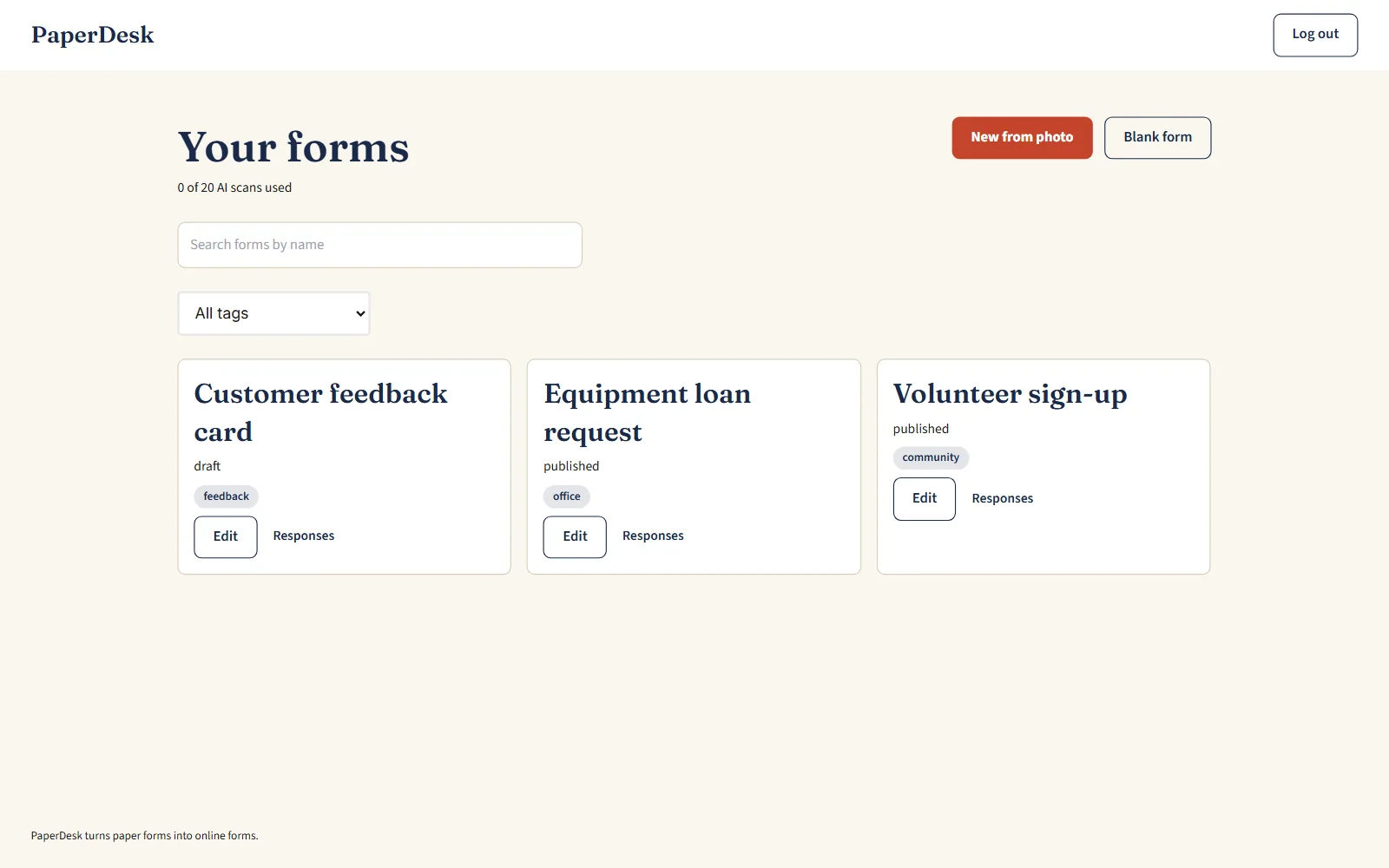
- Admin controls for each person's AI scan limit.
- TEMPLATE.md, which explains how to run it and how to put it online.
Back to Shop
Ready-made app / Forms
PaperDesk: paper forms to online forms
PaperDesk turns a paper form into an online form. Photograph or upload the paper form, the AI reads its questions, tick boxes and signature lines, and you review the online form it builds. Publish it, share it by link or QR code, and collect every response in one inbox. It runs in your own Cloudflare account, and you get the full source code for $9.99 USD, paid once.
How it works
From a sheet of paper to an inbox of answers.
- Photograph or upload a paper form.
- The AI reads the questions, tick boxes and signature lines and builds an online form for you to review.
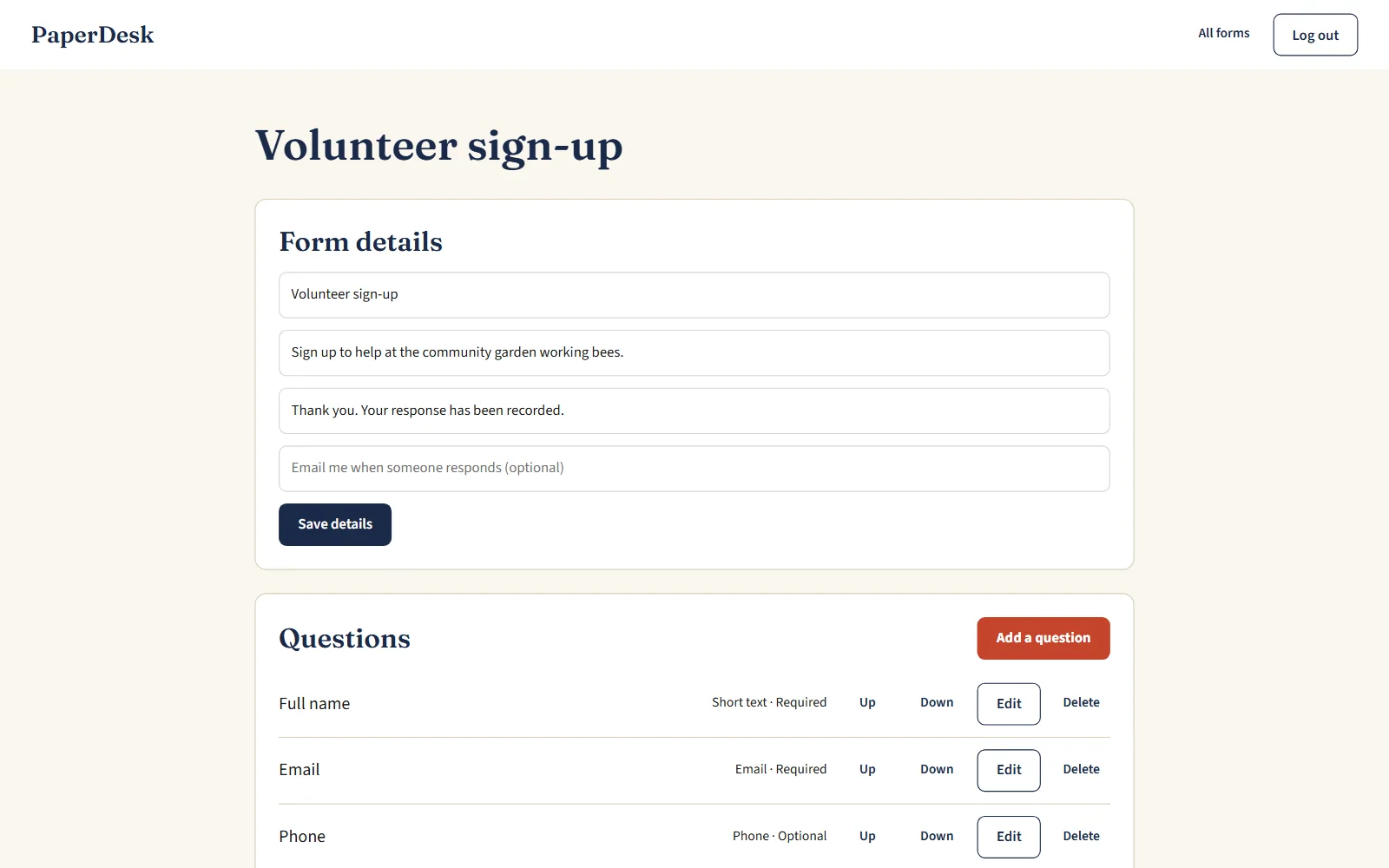
- Check the form, change anything, then publish it.
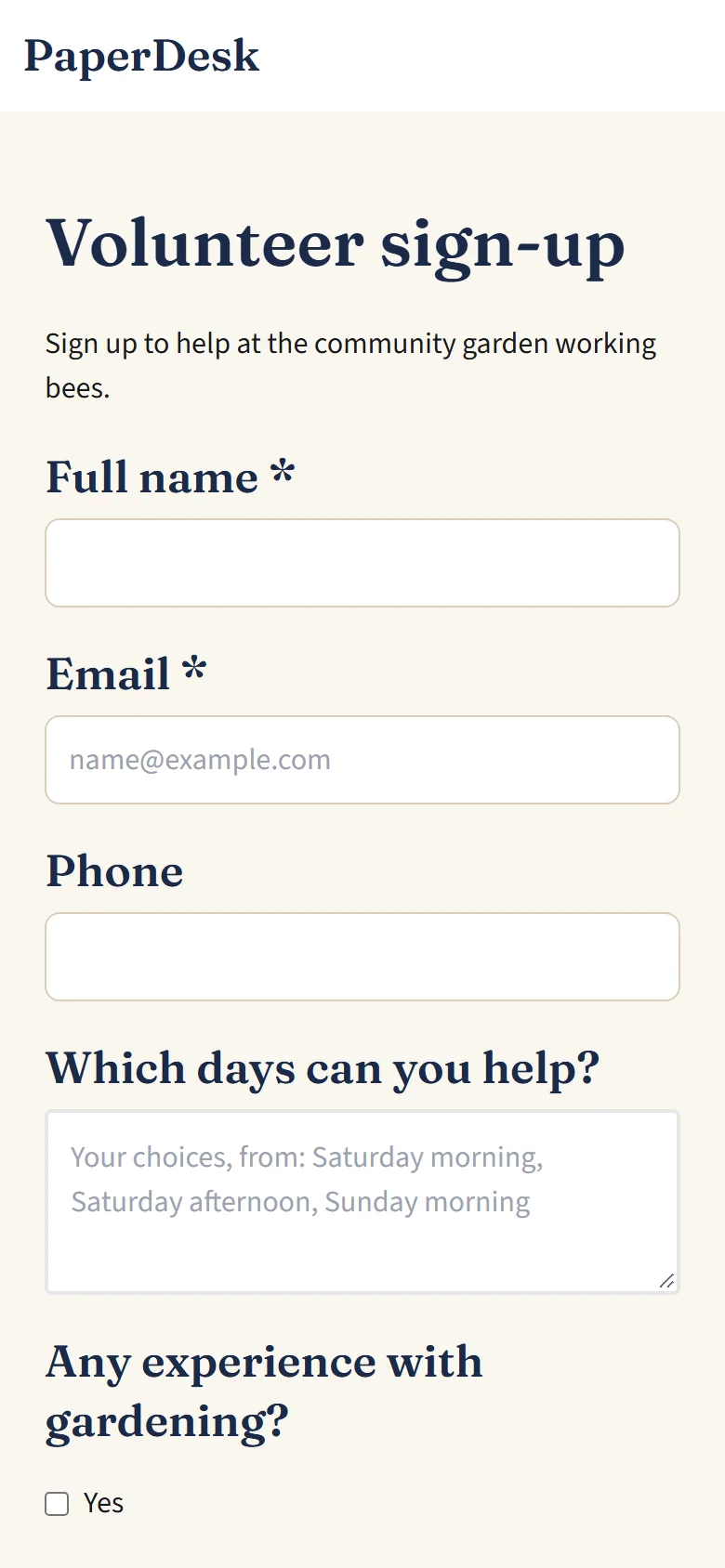
- Share the form by link or QR code.
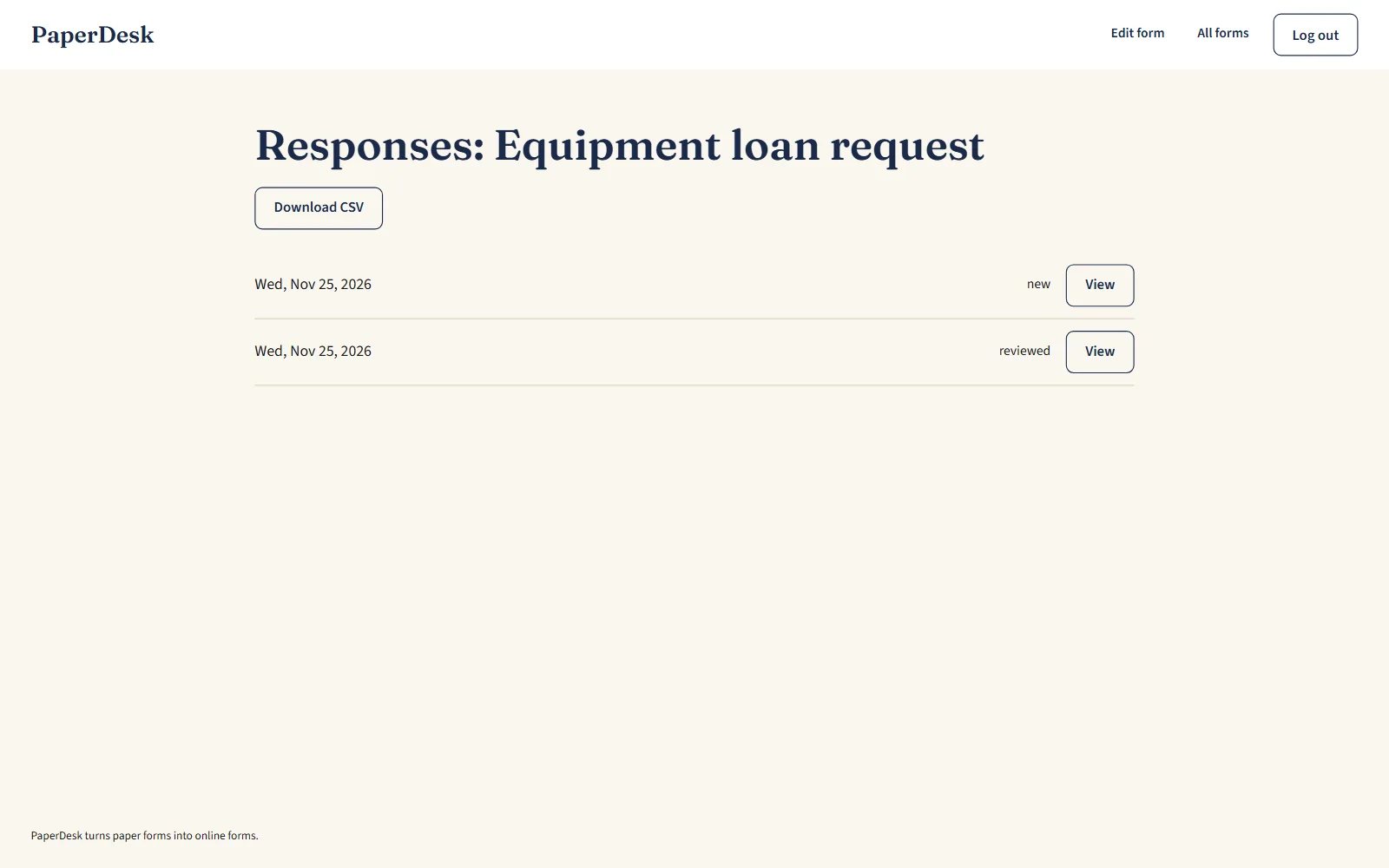
- Responses land in one inbox, with notes, a reviewed status and a CSV download.
Forms can ask these kinds of question: short text, long text, email, phone, number, date, dropdown, single choice, checkboxes, yes or no, file upload, typed signature, section heading, instructions.
See it
What the owner and the people filling in the form see.
- A free Cloudflare account to run it in, and Node.js on your computer to build it.
- An OpenAI key if you want the AI photo reading. Without one, build forms by hand.
- About half an hour, following TEMPLATE.md, to run it and put it online.
After you download
Unzip it, build it, run it.
Open the unzipped folder in a terminal, read TEMPLATE.md, then run these three commands one after another.
npm installnpm run build:uinpx wrangler dev
Pay once
PaperDesk
$9.99 USD
- Price
- $9.99 USD, paid once through Stripe. No subscription.
- Delivery
- Pay once through Stripe Checkout. You land on a download page with your zip, and the same download link is emailed to you. It works for 30 days and up to 10 downloads.
- Version
- Version 1.0.0, updated 28 November 2026.
- Updates
- Updates within version 1 are free: email hello@redcenterstudio.com with your order id and you get a new download link.
- Refunds
- If it has a major problem we cannot fix, you can ask for a refund. Your rights under Australian Consumer Law apply in full. Email hello@redcenterstudio.com. See your rights under Australian Consumer Law.
PaperDesk questions
What do I get when I buy PaperDesk?
The full source code as a zip you download straight after paying, with a TEMPLATE.md that explains how to run it and how to put it online. The same download link is emailed to you and works for 30 days and 10 downloads.
Do I need an OpenAI key?
Only for the AI photo reading. Reading a photo of a paper form uses your own OpenAI key. Everything else works without it: you can build forms by hand, publish them, share them and collect responses with no AI at all.
Where does PaperDesk run?
In your own Cloudflare account, as a Cloudflare Worker with a D1 database and an R2 bucket. You own the code, the data and the account. There is no PaperDesk server of ours in the middle.
Is it a subscription?
No. It is $9.99 USD, paid once, with no monthly fee from us. Cloudflare and OpenAI bill you directly for what you use in your own accounts.
Can I limit how many scans each person uses?
Yes. Admins set each person's AI scan limit, so the AI photo reading cannot run up a bill on its own.
What kinds of questions can a form have?
Short text, Long text, Email, Phone, Number, Date, Dropdown, Single choice, Checkboxes, Yes or no, File upload, Typed signature, Section heading, Instructions.
Is the live demo real?
The demo opens a private account with made-up forms and responses so you can click around. It runs on made-up data, and the AI photo reading is switched off in the demo.