- The full source code of the app, as a zip you download straight after paying.
- A Cloudflare Worker (Hono, with D1 and R2) and React pages, ready to run in your own Cloudflare account.
- Projects, a kanban board, time logging, expenses and invoices, with a private invoice link for clients.
- TEMPLATE.md, which explains how to run it and how to put it online.
Back to Shop
Ready-made app / Projects and billing
ScopeLedger: projects, time and invoices for small studios
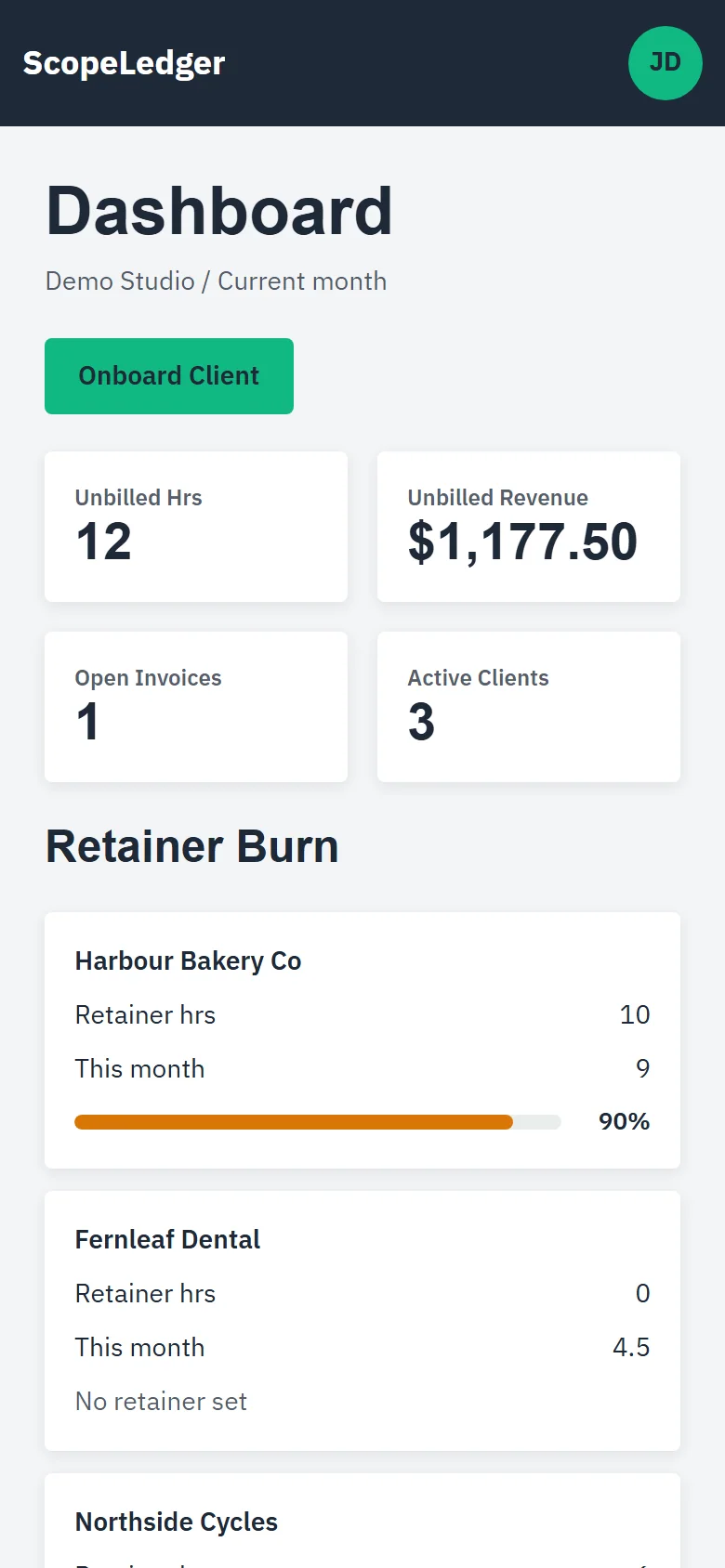
ScopeLedger is a project and billing app for small studios and freelancers. Add clients, with a monthly retainer if you have one, and projects with a budget in hours and an hourly rate. Plan tasks on a kanban board, log billable and non-billable time, record expenses, and turn unbilled time and expenses into invoices your clients can view through a private link. It runs in your own Cloudflare account, and you get the full source code for $9.99 USD, paid once. Payments are not built in: you mark invoices paid by hand.
How it works
From a new client to a paid invoice.
- Set up your studio and invite staff with a team code.
- Add clients, with a monthly retainer if you have one, and projects with a budget in hours and an hourly rate.
- Plan the work on a kanban board and log your time as you go, billable or not.
- Pull unbilled time and expenses into an invoice, then mark it sent and paid.
- Send the client a private link to view their invoice without signing in.
Along the way: expenses with an optional receipt, a time log you can filter and export as CSV, and settings for the organisation, team and tags.
See it
What the owner and the team see.
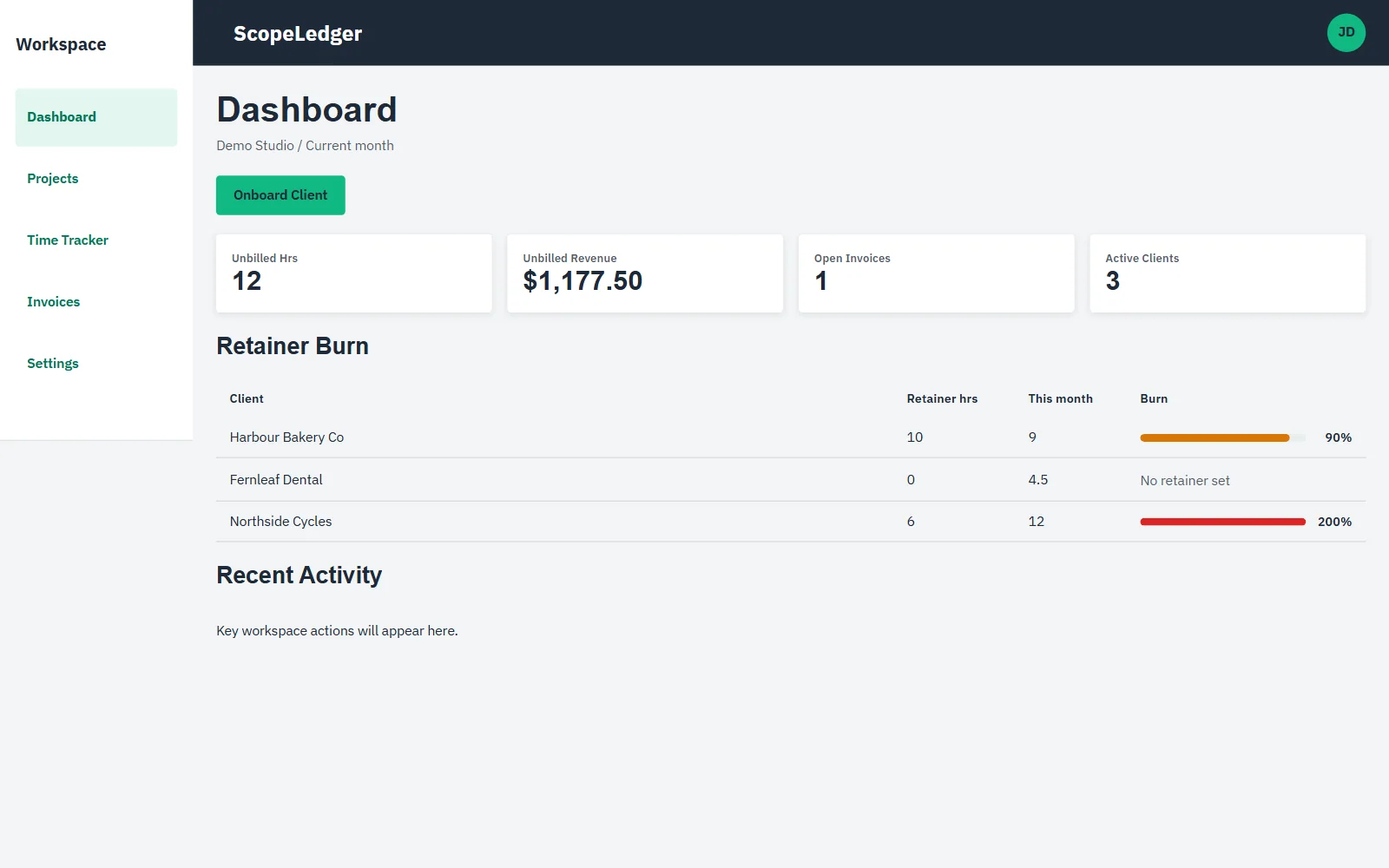
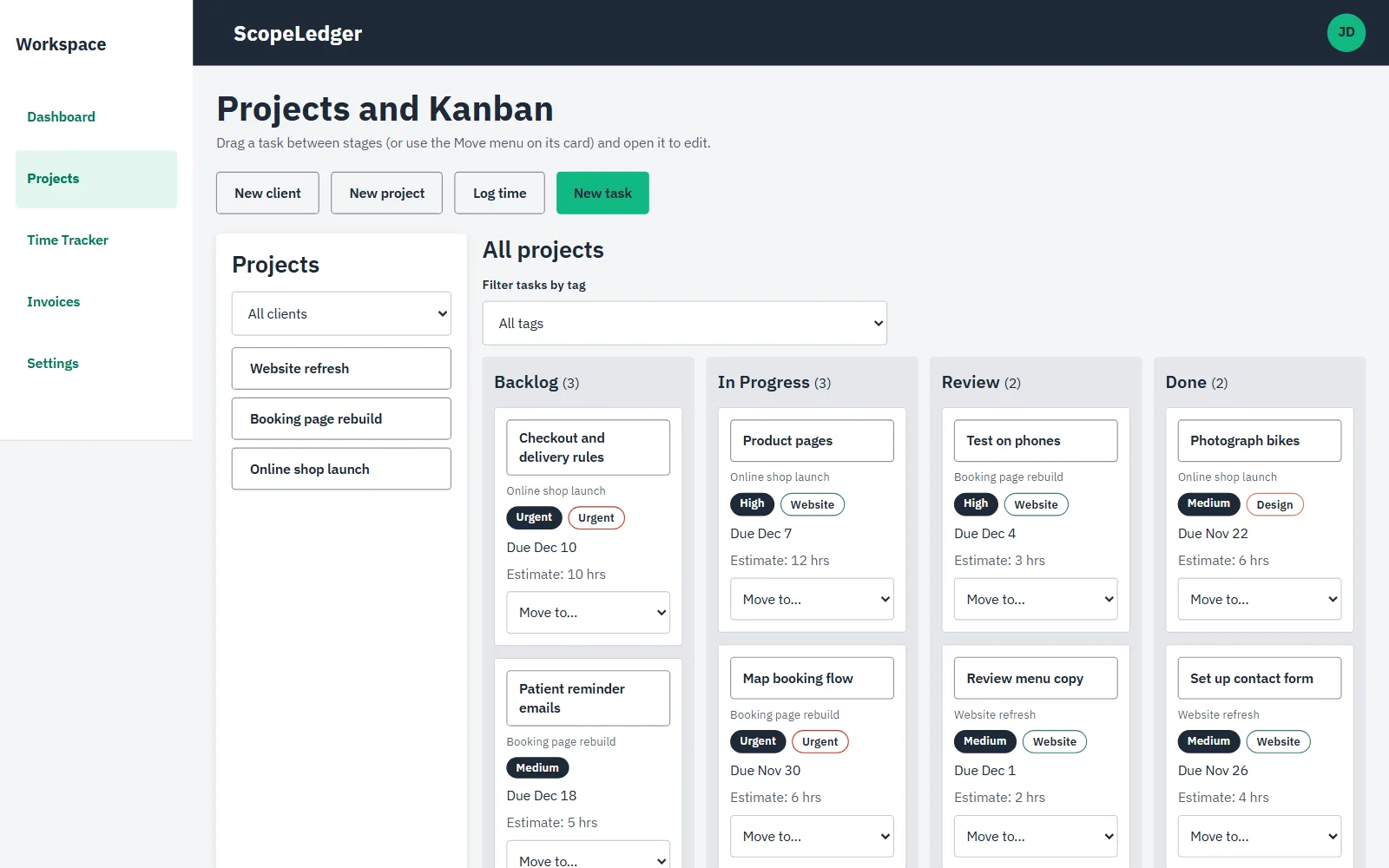
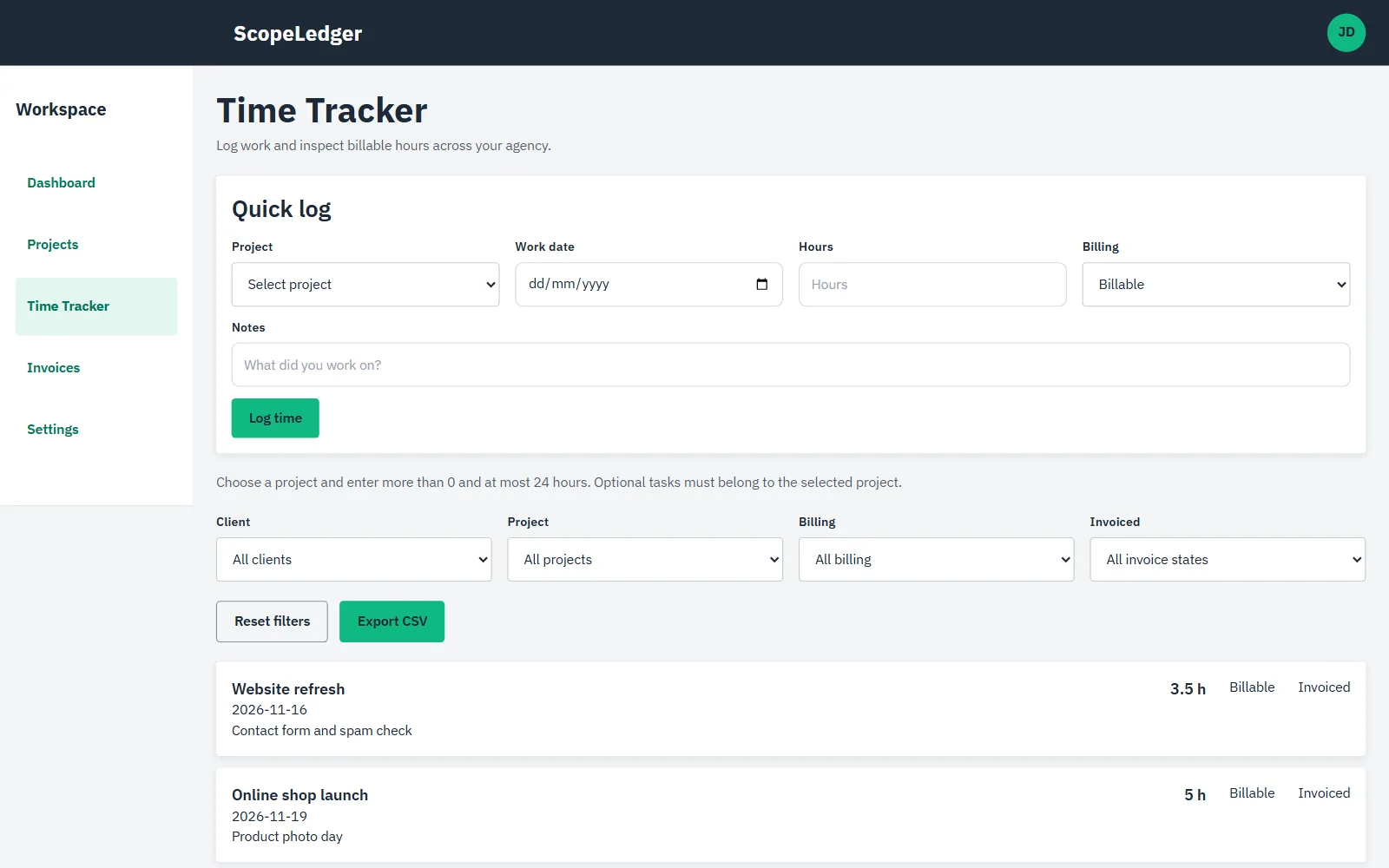
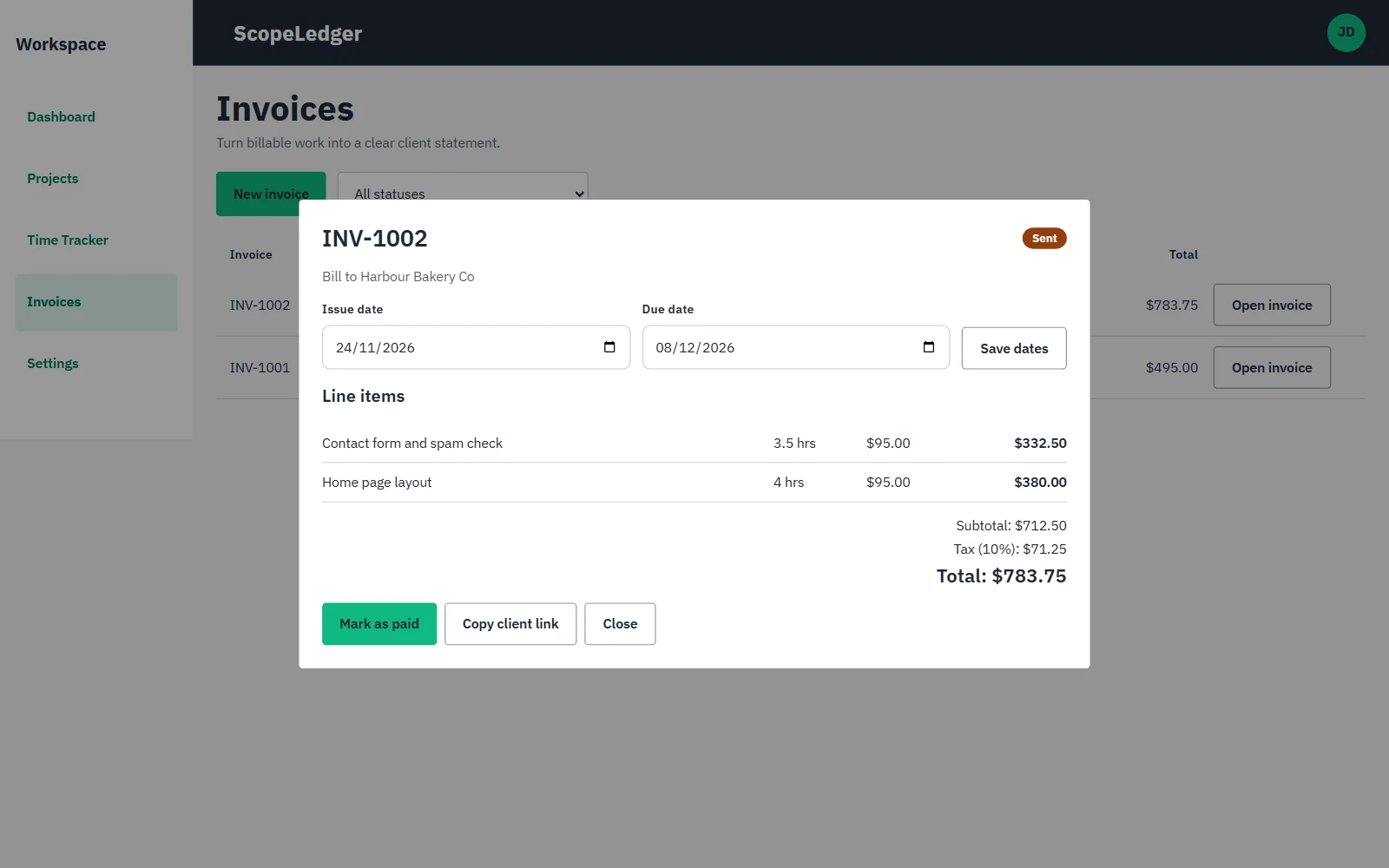
- A free Cloudflare account to run it in, and Node.js on your computer to build it.
- About half an hour, following TEMPLATE.md, to run it and put it online.
- Your own way to take payment: invoices are marked paid by hand.
After you download
Unzip it, build it, run it.
Open the unzipped folder in a terminal, read TEMPLATE.md, then run these three commands one after another.
npm installnpm run build:uinpx wrangler dev
Pay once
ScopeLedger
$9.99 USD
- Price
- $9.99 USD, paid once through Stripe. No subscription.
- Delivery
- Pay once through Stripe Checkout. You land on a download page with your zip, and the same download link is emailed to you. It works for 30 days and up to 10 downloads.
- Version
- Version 1.0.0, updated 28 November 2026.
- Updates
- Updates within version 1 are free: email hello@redcenterstudio.com with your order id and you get a new download link.
- Refunds
- If it has a major problem we cannot fix, you can ask for a refund. Your rights under Australian Consumer Law apply in full. Email hello@redcenterstudio.com. See your rights under Australian Consumer Law.
ScopeLedger questions
What do I get when I buy ScopeLedger?
The full source code as a zip you download straight after paying, with a TEMPLATE.md that explains how to run it and how to put it online. The same download link is emailed to you and works for 30 days and 10 downloads.
Where does ScopeLedger run?
In your own Cloudflare account, as a Cloudflare Worker with a D1 database and an R2 bucket. You own the code, the data and the account. There is no ScopeLedger server of ours in the middle.
Is it a subscription?
No. It is $9.99 USD, paid once, with no monthly fee from us. Cloudflare bills you directly for what you use in your own account.
Does it take payments?
No. There is no payment processing built in. You send the invoice, and you mark it paid by hand when the money arrives.
Who can use it?
An organisation has Owner and Staff roles. Staff join with a team code. Clients do not sign in: they view an invoice through a private link you send them.
How do tasks work?
Tasks sit on a kanban board with four stages: Backlog, In Progress, Review and Done. Each task has a priority, a due date, an estimate, tags and assigned members, and you move it by drag and drop or from a Move menu.
Is the live demo real?
The demo gives each visitor a private sample studio with made-up clients, projects and invoices so you can click around. It runs on made-up data.